Systems / CRM · 6 min read ·
Custom CRM vs. off-the-shelf: what a growing business actually needs.
A ready-made CRM is the right answer more often than vendors admit. A custom one earns its cost when your inquiries arrive from everywhere and your team has already bent the ready-made tool out of shape. How to tell which one you are.
In short
Start with a ready-made CRM if your sales process looks like most others, your team is small, and your inquiries come from one or two places. Consider a custom CRM when inquiries arrive through calls, WhatsApp, website forms and bookings at once, when your team keeps side spreadsheets because the tool doesn't fit, when you pay for several tools that don't talk to each other, or when privacy or language needs aren't met by the product. There is also a middle road: keep a ready-made CRM and build only the connections and screens it lacks. Whatever you choose, the data must be yours and easy to export.
First, what a CRM is for
A CRM, short for customer relationship management, is the place where every inquiry, customer and conversation lives, with the next step attached. Its job is not to hold data. Its job is to make sure nobody waits: the missed call gets returned, the quote gets followed up, the appointment gets a reminder. So before comparing products, follow one real inquiry from beginning to end. Someone calls after hours. Who finds out, and when? Where is the name written down? Who calls back, and how do they know what was asked? The honest answer, in many businesses, involves a voicemail, a sticky note, a WhatsApp group and a spreadsheet. That chain is what a CRM should replace.
When a ready-made CRM is enough
Ready-made CRMs are good products. They are fast to start, they are maintained by someone else, and they come with years of other companies' lessons built in. They are usually the right choice when:
- Your process is common: a lead comes in, you quote, you follow up, you close.
- Your team is small, and everyone is willing to work the way the tool works.
- Inquiries arrive mainly through one or two channels, such as a website form and email.
- The integrations you need already exist, and they are the standard ones.
- You don't have strict requirements around privacy, data location or languages.
If that describes you, a custom system will cost you more and give you little in return. Choose a good product, set it up carefully, and spend the difference on getting more of the right inquiries.
When custom makes sense
The signs that you've outgrown a ready-made tool are usually visible in how people work around it:
- Inquiries come from calls, WhatsApp, website forms, booking tools and walk-ins, and nobody sees them in one place.
- The team keeps a parallel spreadsheet because the CRM can't hold what they need.
- You pay for four or five tools, plus the connectors between them, and still copy data by hand.
- Your process is the product: the way you qualify, schedule or follow up is what sets you apart.
- You need screens in Hebrew or Russian, right-to-left text, or wording that matches your business.
- You handle sensitive information and need precise control over who sees what, and what never leaves the system.
A custom CRM is built around your working day instead of a generic sales funnel. It can be small. Often the first version is a shared inbox for every channel, a list of open inquiries with an owner and a next step, and the day's appointments.
The costs nobody puts on the pricing page
Ready-made tools look cheap at the start, and the per-user price is honest. What grows is everything around it: more seats as the team grows, add-ons for features you saw in the demo, connectors, a consultant to set it up, and the hours your team spends working around what doesn't fit. In the reviews we read of the CRM and automation platforms small businesses buy, the top complaints were billing surprises and lock-in, tied with slow support. A smaller group of reviews complained that data couldn't be fully exported.
Custom systems have their own costs: the build, hosting, and someone who maintains and improves it. The honest comparison is three years of total cost, including your team's time, not the first invoice.
The middle road: connect before you build
Many businesses don't need to choose. Keep a ready-made CRM for what it does well, and build only what's missing: a connection that brings WhatsApp conversations and missed calls into it, a form that creates a clean record with no duplicates, a dashboard that shows today's work on one screen, or an automation that sends a reminder at the right time. This is often the fastest way to feel the difference, and it tells you whether a full custom system is worth it. Our business automation work usually starts here.
An example: one workspace for a clinic
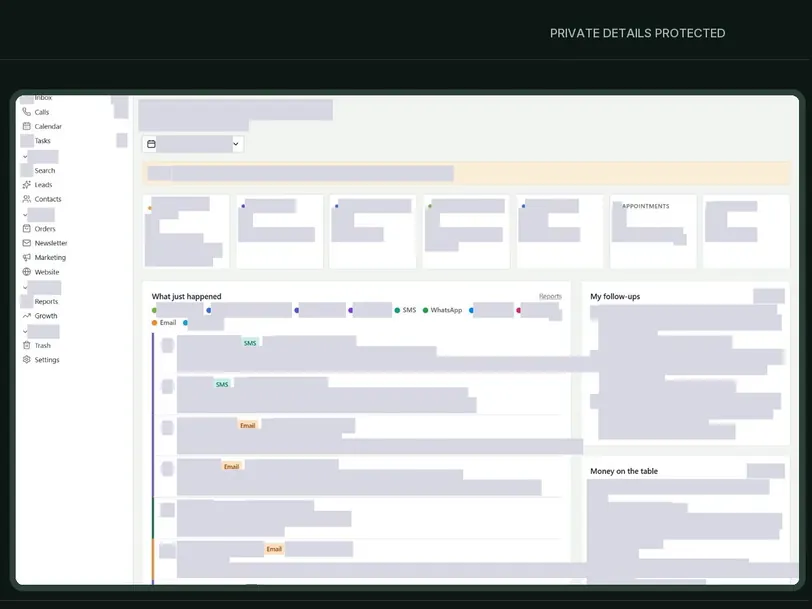
In a busy clinic, calls, messages and bookings easily end up in different places, and an after-hours call can wait until someone notices it. At Organic Well, a clinic in Miami, calls, messages, inquiries and appointments share one workspace. Vicky, an AI assistant that the clinic named, is designed to help with missed calls, after-hours messages, follow-up on inquiries and booking, within rules the clinic configured, while the team stays in charge of everything else.
A system like this is best introduced in steps, in almost any business. Start with the inquiry inbox and the missed-call follow-up, because that's where the loss is easiest to see. Add appointments next, then reminders, then reporting. Ask the people who use it every day what slowed them down, and change it. And design privacy in from day one rather than adding it later. You can see the system in the Organic Well CRM case study.
Questions to decide with
- Where do inquiries come from today, and how many places does someone check each morning?
- What does your team keep outside the CRM, and why?
- Which tools do you pay for, and which of them only move data between the others?
- What would a missed inquiry cost you?
- Which part of your process is truly yours, and which is standard?
- Who needs to see what, and what must never leave the system?
- Can you export all of your data today, in a standard format?
- In three years, will the tool fit a team twice your size, and at what price?
Questions for any CRM provider
Whether you buy a product or hire someone to build one, ask the same questions before you commit:
- What happens to my data if I stop paying, and how do I get a full copy?
- What will this cost with twice as many users, and which features are add-ons?
- Can I leave month to month, or is there a yearly contract?
- Who answers when something breaks, and how quickly?
- How will my existing contacts and history be moved in, and who checks them?
- Who can see what, and how is access removed when someone leaves the team?
The answers matter more than the feature list. In the reviews we read, the top complaints were about money, slow support and automations that didn't work as promised. Missing features hardly came up.
Whatever you choose, keep the data yours
The CRM holds your customers and your history. The account or server should be in your business's name, you should hold the owner role, and you should be able to export everything at any time. If an AI assistant is part of the system, the phone number and the conversation records belong to you as well. At Goldren Studio this is the default: everything is in your name, with a handover document at the end. More on our CRM and business systems and on the AI receptionist.
Tell us how inquiries reach you today
You don't need a specification. Tell Daniel where your inquiries come from and where they get stuck. He replies within one business day, and after a short call you'll know whether a ready-made CRM, a few connections or a custom system is the right step, with the scope and the price in writing. Write on WhatsApp or through the contact page.

