Business automation. Workflow automation between your tools
For businesses whose team copies the same details between tools every day: we connect your website, CRM, calendar, email and WhatsApp so inquiries, reminders and follow-up run on their own.
Business automation connects the tools a company already uses, such as website forms, a CRM, a calendar, email, WhatsApp, spreadsheets and payments, so repeated steps happen by themselves. A new inquiry becomes a CRM record with an owner, the person gets a confirmation, reminders go to people who booked, and a follow-up task appears when nobody replied. Goldren Studio in Miami maps the process first, builds each connection with alerts and a manual fallback, and documents everything in your name.
Our commitments
- Scope and price in writing before we start
- Everything in your name
- A reply within one business day
- No long lock-in
- A handover document at the end
For the owner doing admin at night, and the company whose departments don’t talk to each other.
A small business
Inquiries arrive by WhatsApp, email and the website form, and in the evening someone copies them into a spreadsheet, if they remember. We start with the one process that costs you the most time or the most missed customers, automate it properly, and leave the rest manual until it’s worth changing.
An established company
Sales, operations and finance each have their own tools, and the handoffs between them happen by email, by hand, or not at all. We map how work moves between teams, connect the systems you already use, respect permissions and existing processes, and document every automation so your staff and IT can see what runs and why.
The parts of an automation you can rely on.
The process, mapped as it really runs
We follow one real example from the first message to the paid invoice: who does what, in which tool, and where things wait or get lost. That map becomes the plan, and it shows which steps are worth automating and which should stay with a person.
Connections between your tools
Website forms, CRM, calendar or booking tool, email, WhatsApp Business, spreadsheets, payments and documents, connected where their access allows it. Each connection is confirmed before we commit to it, so there are no surprises halfway through.
Rules and notifications
Who gets which inquiry, what happens when nobody replies, which cases need a manager’s approval. The rules are written in plain language first, then built, so anyone on your team can read what the system does.
Messages to your customers
Confirmations, reminders and follow-ups go to people who booked, bought or asked to hear from you, in their language and in your tone. Nothing goes out to lists of people who never reached out.
Alerts, logs and a manual fallback
When a connected tool changes or a step fails, you get an alert, the run is logged, and the inquiry lands in a place a person will see. Nothing disappears quietly.
AI where it saves real time
Some steps benefit from AI: sorting incoming messages, summarising a long email, drafting a reply for a person to approve. We use it with clear limits, and never in place of a decision your team should make.
Documentation and handover
Every automation is described in a handover document: what triggers it, what it does, which accounts it uses and how to switch it off. Your team is shown how it works before we step back.
One process at a time, each one working before the next.
-
Step 01
A first conversation
You walk Daniel through one process as it happens today, with the tools and the people involved. Together you decide what hurts most: lost inquiries, slow replies, double entry or reports made by hand.
-
Step 02
Scope and price in writing
The proposal lists the steps to automate, the tools to connect, what stays manual and the price. If a tool can’t connect the way you hoped, it says so and suggests another way.
-
Step 03
Build in small pieces
Each automation is built and tested on safe test data, then shown to you at an agreed review point before it touches real customers. You see it work before you rely on it.
-
Step 04
Launch, watch and hand over
We switch it on, watch the first real runs closely and fix what they reveal. Then you get the handover document and choose a monthly care plan or help on demand.
What shapes the price.
Automation is priced by the work involved, not by a package. The main factors:
- Processes and steps: One process with a few steps is a small project; several connected processes across departments is a larger one.
- The tools involved: Some tools connect easily, others need more work or a workaround. We check each one before quoting.
- Exceptions and rules: The more special cases, approvals and branches a process has, the more there is to build and test.
- Data and privacy: The volume of data, sensitive information and permissions add planning and testing.
- AI steps and running costs: AI steps and the subscriptions of the tools themselves have running costs, billed to your own accounts where possible.
After a short conversation you get the scope and the price in writing, before any work starts. What isn’t in the proposal won’t show up on the invoice.
From our work.
One workspace for a clinic’s calls, messages and bookings.
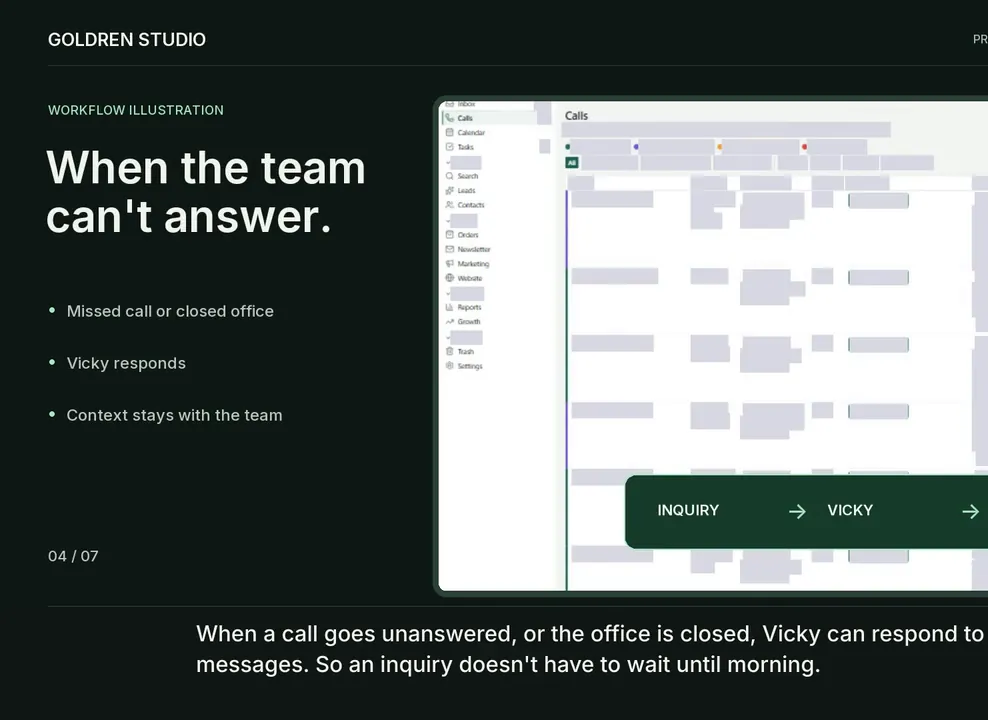
In a busy clinic, calls, messages and bookings easily end up in different places, and an after-hours call can wait until someone notices it. In the custom CRM built for Organic Well, a clinic in Coconut Grove, inquiries, conversations, appointments and connected tools share one view.
Vicky, the clinic’s AI assistant, helps the team respond and keep track of what needs attention, within the rules the clinic configured. The case study walks through the workspace without real personal data.
FAQ.
Business automation
Most tools a business uses day to day: website forms, CRMs, calendars and booking tools, email, WhatsApp Business, spreadsheets, payment and document tools. What’s possible depends on the access each tool offers, so we confirm every connection before committing. If one can’t be connected, we tell you and suggest another way.
Tools change, and a step can fail. Every automation we build sends an alert when it does, logs what happened and leaves the inquiry where a person will see it. Fixes are covered by the care plan, or handled on demand.
Not always. Often the tools you already have are enough once they’re connected, and we’ll say so. A custom CRM makes sense when your process doesn’t fit an existing one, for example clinic appointments, WhatsApp-first conversations or work in several languages.
There’s no price list. The price depends on the processes, the tools and the rules involved, plus the running costs of the tools themselves. After a short conversation you get the scope and the price in writing, and what isn’t in the proposal won’t show up on the invoice.
The timeline is agreed in writing before we start. It depends on how many processes are included, how easily your tools connect, and how quickly test data and approvals come from your side. Automations can go live one by one, so you don’t wait for everything.
You do. The automations run in accounts in your name, the data stays in your tools, and the handover document explains each automation. If you ever work with someone else, they can pick up where we left off.
You can choose a monthly care plan, with monitoring, fixes and small changes, or call on us when something comes up. There’s no long lock-in, and the handover document shows your team how everything works.
Write, call or send a WhatsApp message describing one process that takes too much time. Daniel replies within one business day, and a short call is usually enough to know whether automation will help and where to begin.
Before I automate anything, I watch how the work really happens. The best automation is often the smallest one: a single step your team no longer has to remember.
© 2026 Goldren Studio
Let’s talk.
Tell us about your project — a website, a store or a tool for your team.
Direct access.
Speak directly with Daniel. Meet in Miami by appointment. Work with us remotely from anywhere.
Clear next steps.
After a short call you get a written proposal with the scope and the price, and nothing starts until you agree. Your message goes straight to Daniel, who replies within one business day.